
Chrome extension · 4.8 / 5
Solve quizzes instantly in your browser
The StudyFox extension brings AI-powered quiz solving to Chrome and Edge. Snap a question, get worked-out steps in seconds.
 Add to Chrome
 Add to Edge
What you get
Built for the way students actually study
Instant solutions
Get answers and worked-out steps the moment you hit a question.
Works everywhere you study
Compatible with Canvas, Blackboard, Moodle, Quizizz and more.
Encrypted by default
Your data stays private with end-to-end encrypted communication.
Two ways to solve
Pick the workflow that fits your screen
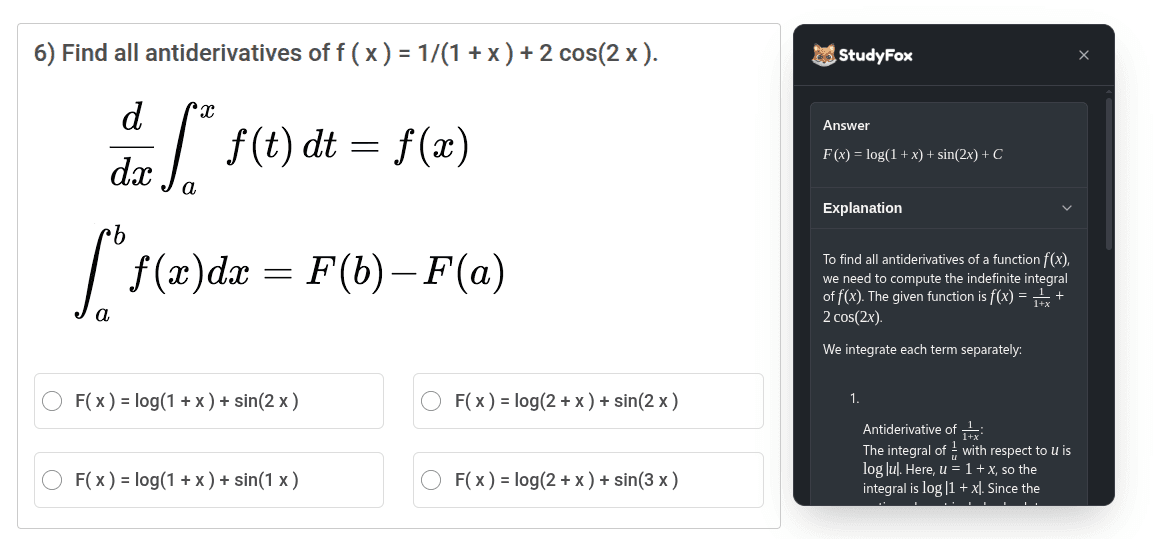
Popup (faster)
Solve directly in a popup while staying on the same page. Best for quick problem solving.
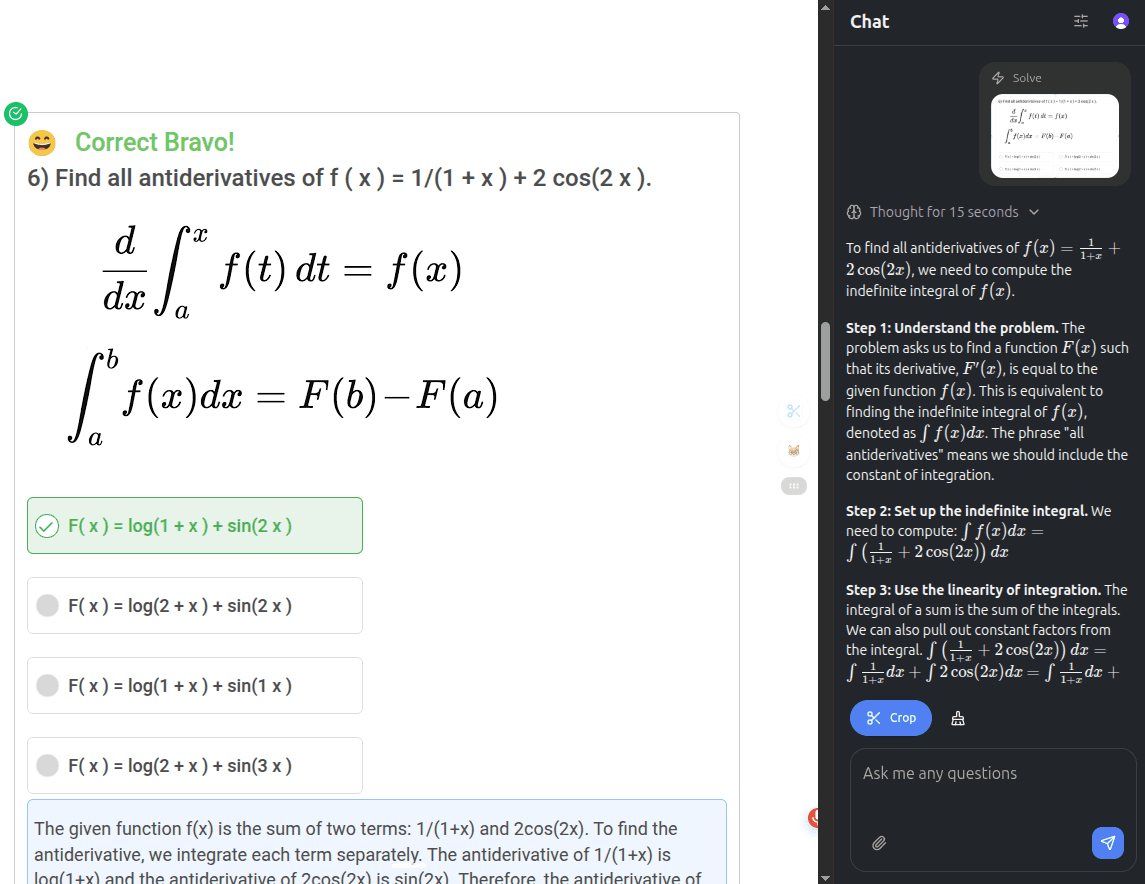
Sidebar (recommended)
Open a side panel with more space for detailed analysis and a series of questions.
Tip: swap modes anytime in the extension settings.
How it works
From install to first answer in under a minute
- 1
Install
Add StudyFox from the Chrome Web Store or Edge Add-ons.
- 2
Sign in
Open studyfox.pro and sign in to link your account.
- 3
Pin the icon
Click the StudyFox icon in your browser toolbar.
- 4
Solve
Open any quiz and pull answers in popup or sidebar mode.
Compatibility
Works across the LMS platforms students actually use
Troubleshooting
Extension not working?
Try this checklist first:
- Remove and reinstall the extension.
- Sign in to your StudyFox account on studyfox.pro.
- Refresh the page and click the extension icon again.
Still stuck? Contact our support team.
Ready to install?
Join thousands of students who solve problems without leaving the page they’re studying on.